Clear business information
Organize what you offer, whom you serve, where you serve customers, your experience, and your contact details in an AI-readable public profile.
Give AI a clear, approved source about your business. Start with a free AI visibility scan, then create your AI Profile.
The scan checks possible gaps in the page you submit, not responses from individual AI platforms.
Organize what you offer, whom you serve, where you serve customers, your experience, and your contact details in an AI-readable public profile.
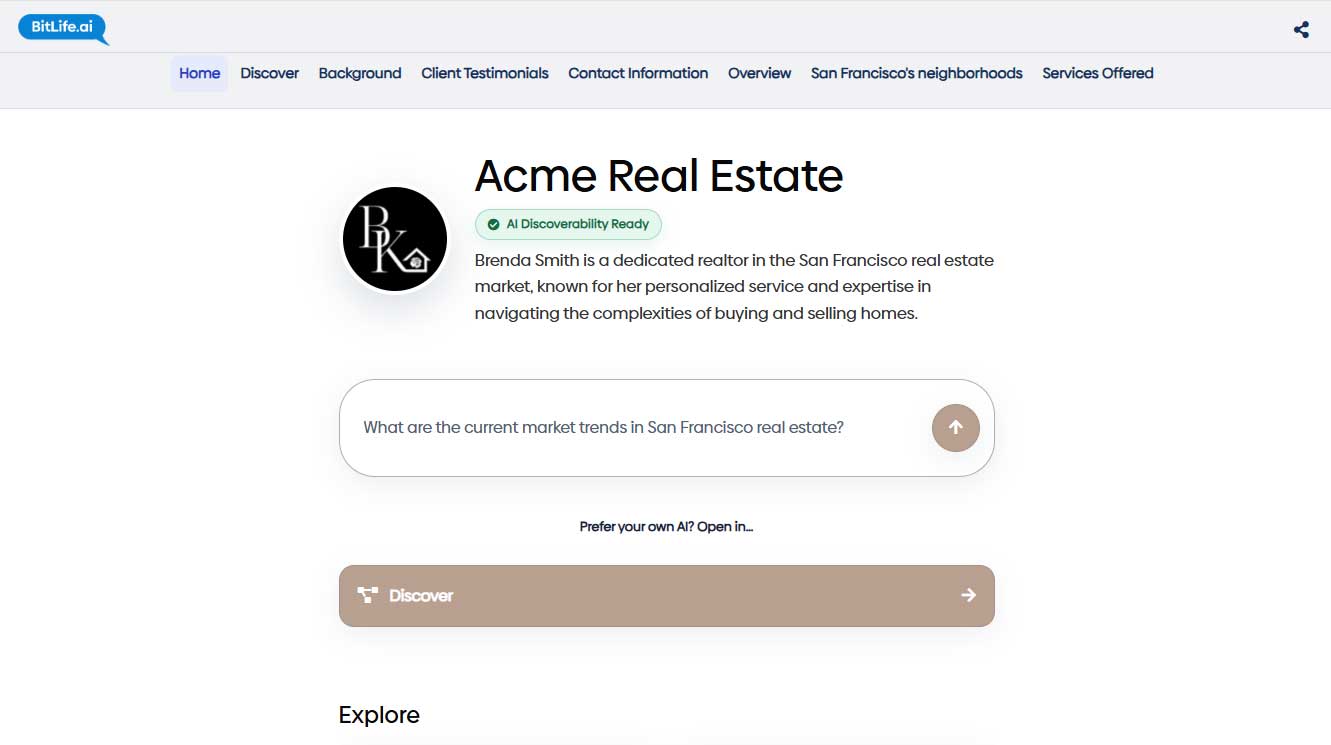
Let visitors ask questions on your public AI Profile. Bring the same AI assistant to your website to answer customers using the business information you approve.
Use approved profile details to focus private research for potential customers, partnerships, referrals, projects, bids, programs, and events.
Your website remains the main place for people to explore your brand and services. Your AI Profile complements it by presenting important facts in a consistent format, linking visitors back to your website, and giving them a direct way to ask questions.
Add a chatbot to your website using the same approved business information.
AI Profiles, included website assistants, and Opportunity research are free during Early Access. An account is required for profile creation.
See how this works in the AI visibility guide, with a public business profile as an example.
BitLife.AI can use the information you approve to propose editable watch settings. You stay in control of what the research should prioritize before a private Opportunity check runs.
Private opportunity watches and discoveries for this profile.
A published request describes a need that could match your business’s products, services, or expertise.
Why it fits: The stated need and customer requirements align with the profile’s offerings and watch settings.
An AI Profile is a public, organized source of approved information about a business or professional—what they offer, whom they serve, where they serve customers, their experience, and how to contact them. It gives services such as ChatGPT and Claude clearer information to understand and reference.
A regular website is mainly designed for people to browse. An AI Profile supports that website by presenting important facts in a structured, AI-readable format. It can link people back to the existing website and help AI services work with clearer, more current information.
The AI assistant lets visitors ask questions and receive answers based on the approved information in the profile. Instead of searching through multiple pages, a potential customer can ask about products or services, experience, availability, or how to get in touch. The assistant helps make the profile more useful and interactive while directing people toward the appropriate next step.
Yes. Each published AI Profile has a public link that can be added to social media bios and other online profiles. Visitors can use that link to view the approved business information, ask the AI assistant questions, visit the main website, or find contact details.
No recommendation is guaranteed. An AI Profile gives AI services better source information to work with when people ask questions such as, “Which business offers the product or service I need?” or “How can I get started?” Each AI service decides how it uses available information.
No. Enter your website and see your results first. Sign in only if you decide to create a profile.
BitLife.AI can use approved profile information to propose focused Opportunity watch settings such as offerings, target customers, categories, and geography. You can review and edit those settings before running private research.
No. Opportunity watches, findings, reports, and research history remain private to the authenticated profile owner. They are not added to the public profile, assistant, sitemap, JSON-LD, or llms.txt.
No. Opportunity results are research leads for you to evaluate. Review the official source, confirm current requirements and eligibility, and decide whether to pursue an opportunity.
BitLife AI uses authenticated account access, profile permissions, protected chat sessions, and privacy checks to help prevent unauthorized access and reduce sensitive information sent to AI services.
Yes. The chat system checks messages and supporting business context before sending supported AI requests. Recognized email addresses and phone numbers are replaced with placeholders. Certain sensitive identifiers, including recognizable Social Security numbers and payment-card patterns, cause requests to be blocked.
These checks cannot detect every form of sensitive information. Please avoid entering confidential personal, financial, or medical details into chat.
Yes. The chat system checks knowledge passages and profile context used to prepare answers, along with supported tool definitions, arguments, and returned data. It also checks information submitted for AI-based conversation analytics.
Connected services have their own security and data-handling practices.
You manage your business profile and assistant through your signed-in BitLife AI account. Public visitors can view published information and use the assistant, but a public profile link does not grant management access.
The chat system uses protected, session-specific credentials to authorize conversation continuation. A public profile link alone does not grant access to another visitor’s session.
No. The chat system does not store chat transcripts in BitLife’s database. Conversation content is maintained by the AI provider.
Contact forms use a separate consent-based workflow. Submitted contact details are sent through the business-record and email process rather than added to AI-visible conversation history. The AI cannot provide consent on a visitor’s behalf.
Privacy-check logs record the detected category, whether processing was allowed, redacted, or blocked, and technical troubleshooting details. They do not include the matched sensitive value or message text.
Start with a free AI visibility report, then create your AI Profile using information you approve.
Check My AI Visibility